Ignore Folder Objects
You may create objects whose sole purpose is organizing a bucket.
These objects end with the / character.
Versioning is often not of value for these types of objects that have no data.
For example, an object at ALIAS/team-bucket/reports may serve as an organization path only and not be a data object.
Instead, it contains objects under it, such as ALIAS/team-bucket/reports/2025/june.csv.
You may exclude folder objects to prevent ALIAS/team-bucket/reports from being versioned while allowing all objects under it to be versioned.
Enable folder exclusion
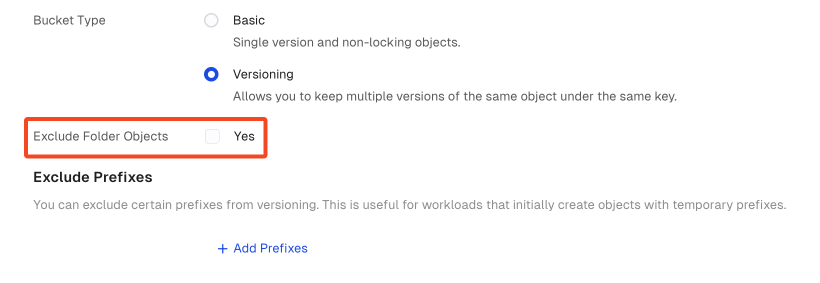
Select the Exclude Folder Objects checkbox if you wish to exclude objects that serve as folders from versioning.
This can be done either while creating a new bucket or while editing an existing bucket.
The bucket must already exist. You cannot exclude folder objects from versioning while creating a bucket in the AIStor Client.
Use the mc version enable command with the --exclude-folders flag.
mc version enable ALIAS/BUCKET --exclude-folders- Replace
ALIASwith the alias of the deployment. - Replace
BUCKETwith the bucket to modify.
Resume folder versioning
Deselect the Exclude Folder Objects checkbox if you wish to resume versioning objects that serve as folders.
To resume versioning all folder objects, use the mc version enable command without --exclude-folders:
mc version enable ALIAS/BUCKETThis command modifies all options on the bucket. Be sure to include any other options for the bucket, such as excluded prefixes.